长沙欣慰科技Elunvi
English

Elunvi Canvas

Take a character idea in more directions.

AI Game Art and Character Design

Start with a reference and explore outfits, viewpoints and environments. Elunvi Canvas brings AI image creation, image processing and local asset organization into one workspace.

Explore availability and use

Contact
Elunvi Canvas | AI Game Art and Character Design
Elunvi Canvas
01

Keep developing the idea

Start with a character, environment or UI reference and compare ideas. Explore outfits, multiple views and scene combinations, then remove black backgrounds, crop or enhance images and organize the results.

  1. Develop your character

    Explore outfit changes and additional design views from a reference. Compare the results and choose the proportions, details and direction that fit your project.

  2. Build beyond the character

    Dedicated creation tools cover environments, buildings, game UI and effect images, helping you explore more of your project's visual direction.

  3. Continue after generation

    Crop, convert and remove black backgrounds, then save and organize the images you choose so you can return to them as the project develops.

Who it is for Independent game developers, game artists and teams organizing creative assets.

02

Choosing Canvas

Can AI characters and environments share a consistent style?

References help communicate a desired style and character features. Review proportions, viewpoints and details across the results, then select and adjust them. A reference does not guarantee a perfectly consistent asset set.

Does Canvas produce images or editable 3D models?

Canvas produces game art images and design references. A 3D-style concept or multiple-view reference can support later modeling, but it is not an editable mesh or rig.

Should I choose Canvas or Motion for character animation?

Use Canvas to explore character appearance, environments and static art. Choose Motion for character actions, frame editing and animation export. They serve different stages of creation.

Explore Elunvi Motion
Does installing Canvas mean AI generation works offline?

Local asset organization and AI generation are separate. Installing the desktop application does not mean every AI operation runs on your computer. Generation depends on the selected model's connection requirements.

Is Canvas the same product as ArtForgeStudio?

Yes. ArtForgeStudio was renamed Elunvi Canvas. The Windows and macOS applications use the Elunvi Canvas name, and the former product URL redirects to the current page.

Where can I find current pricing?

See the application for current subscription and model usage charges, and check the conditions for the generation model you choose.

Elunvi Canvas

Next step

Developed by Shineway Technology · 长沙欣慰科技有限责任公司

Contact

Elunvi site

ELUNVI / Elunvi Canvas

Elunvi Canvas · Core capabilities

01 / 05

Four types of workbench, creation and results are on the same screen

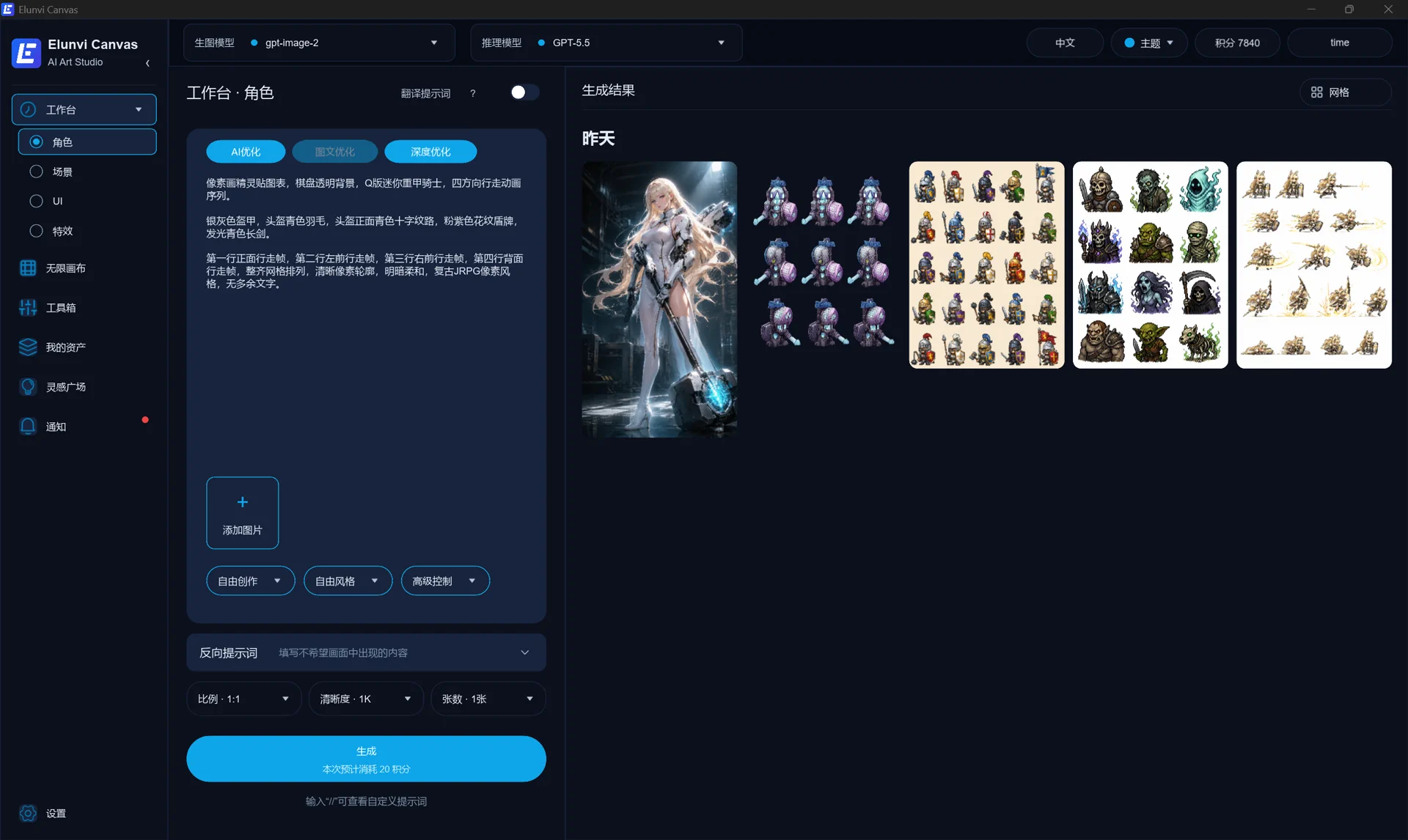
Characters, scenes, UI and special effects all have corresponding creation workbench, and tasks can be switched according to material type. Descriptions, reference images, and screen specifications are organized on the left, generated results are viewed on the right, and raw images, inference, and video models are selected centrally at the top. The figure takes the role workbench as an example. You can also see reverse prompt words, batch operations and waterfall flow entrances.
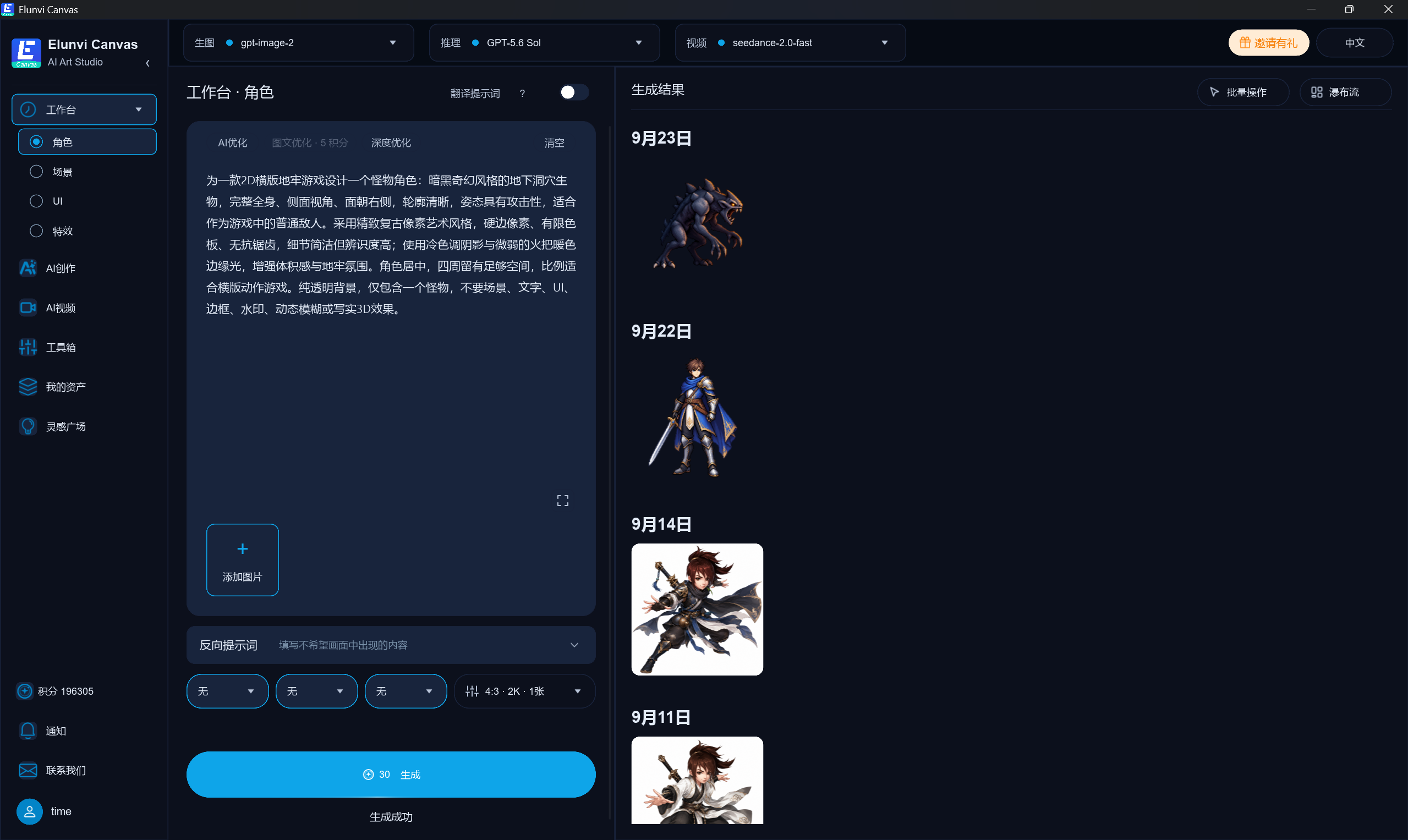
Elunvi Canvas maximizes the workbench interface, taking character creation as an example; the sidebar can also switch scenes, UI and special effects
02 / 05

Open a result and continue to deepen the details.

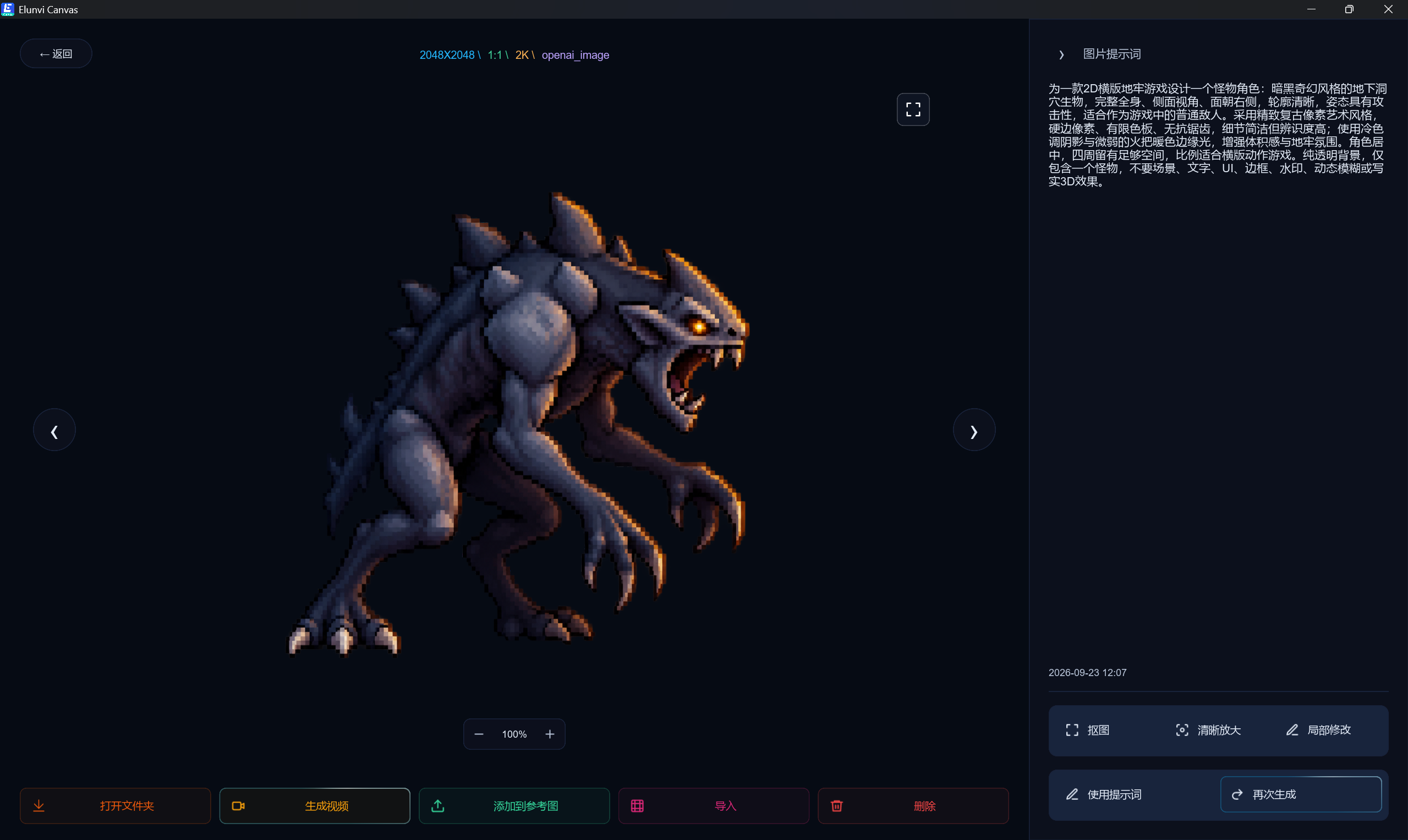
After entering the single result, a large preview is juxtaposed with the original picture prompt words, making it easy to check the picture and description. On the right side, you can see cutout, clear enlargement, local modification, use of prompt words, and regeneration; the bottom also provides subsequent entrances such as opening folders, generating videos, and adding to reference images.

Elunvi Canvas maximizes the generated result details, displaying monster character images, original prompt words, and subsequent actions
03 / 05

First find the creative entrance suitable for the task

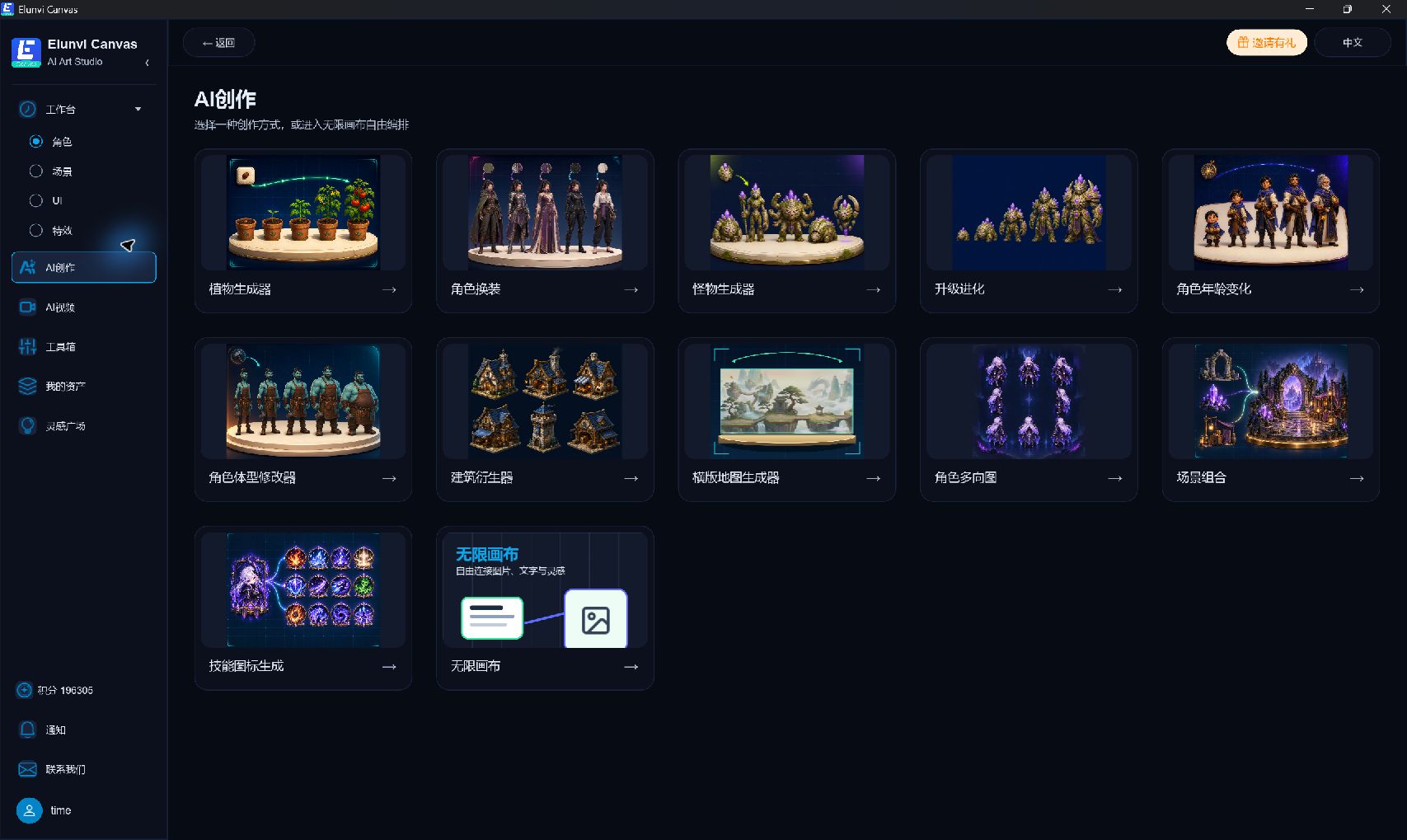
The maximized AI creation interface puts tasks such as plant generation, character dressing, monster generation, building derivation, horizontal map and multi-directional character map on the same screen. Creators can first determine the direction by material type and then enter specific tools.

Elunvi Canvas maximizes AI creation tool entrance
04 / 05

Let ideas meet on the same canvas

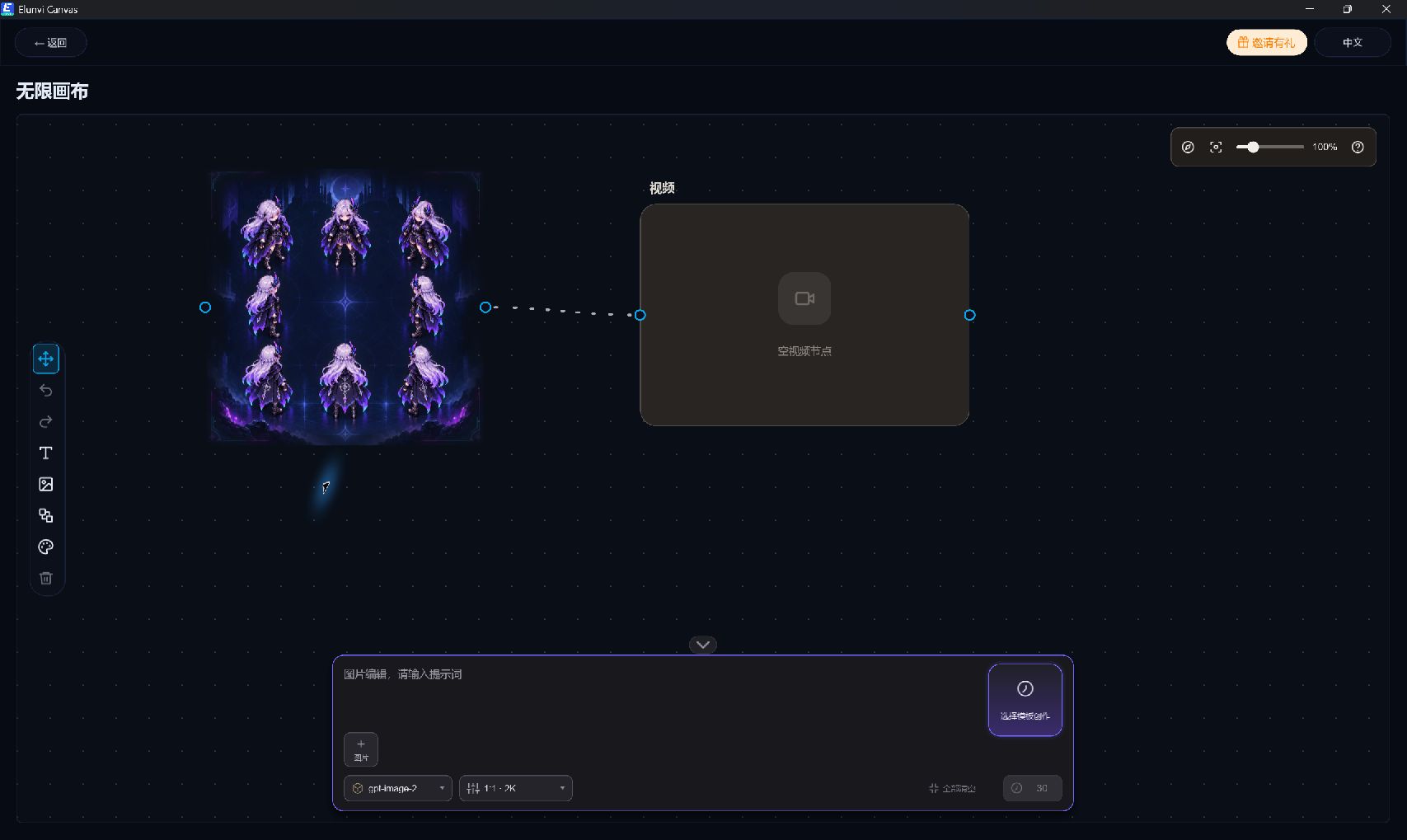
The actual interface of Infinite Canvas displays the grid, node connections, editing tools on the left and image generation panel on the bottom. Reference, text and output can be arranged in the same space, making the context of the plan more intuitive.

Elunvi Canvas real infinite canvas, video node and image generation panel
05 / 05

Continue exploring dynamic images from pictures

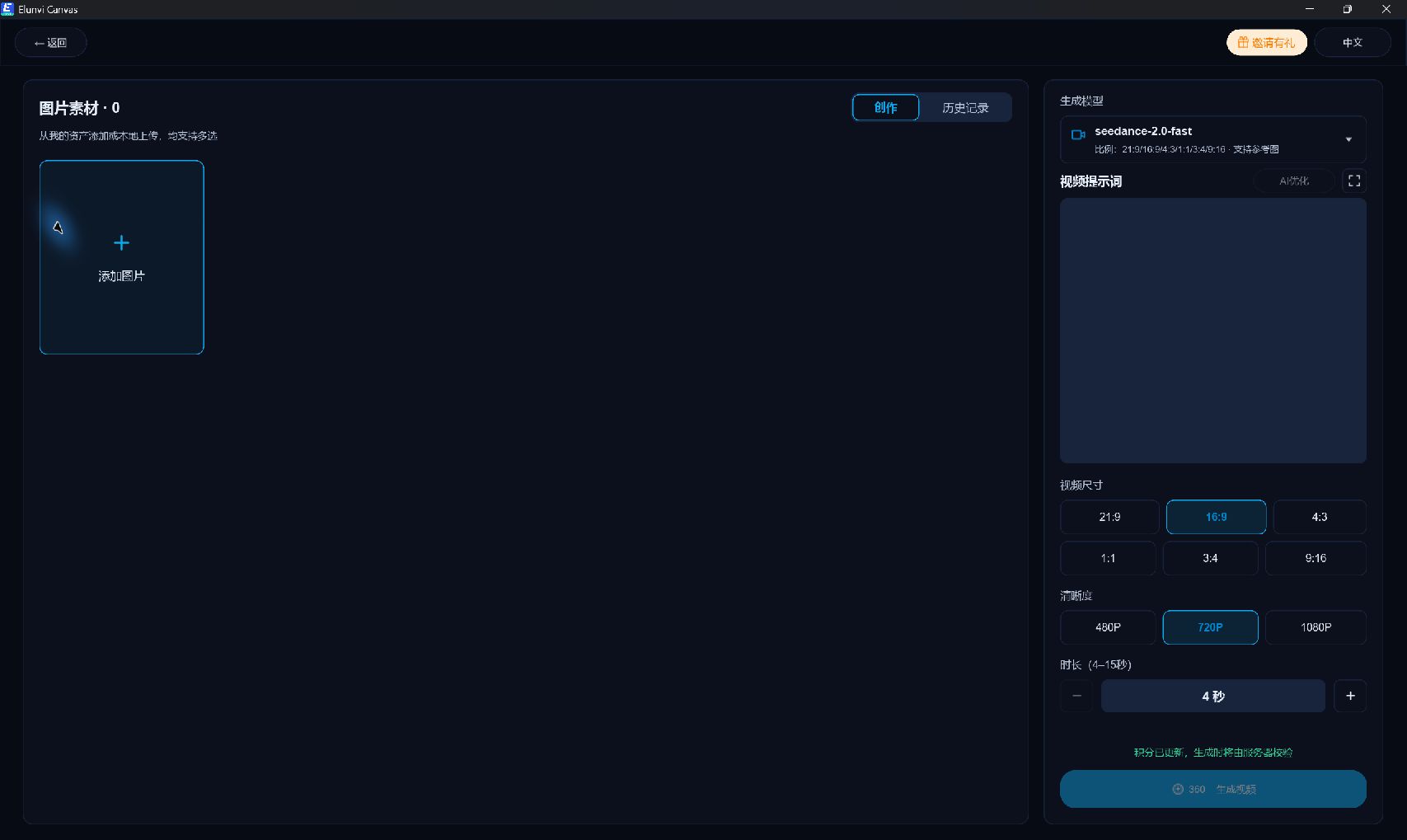
The AI ​​video page puts picture materials on the left, and models, video prompts, proportions, clarity, and duration on the right. You can check the materials and specifications first, then decide whether to generate them, and review the results from the history.

Elunvi Canvas real machine AI video picture input and generation parameters

AI SUPPORT

AI support

The AI capabilities in Elunvi products are supported through the following AI relay services. Visit each site to learn more.